
REVOcalize
Your sound. Your rules. Your co-producer.
Automated and personalised workflows in Logic Pro, made by your personal AI assistant.
For the first time, you can control complex Logic Pro actions through voice and text. Your Revocalize Co-Producer acts like a professional sound engineer, so you can stay in the creative flow.
Watch how voice and text commands turn ideas into Logic Pro sessions. No clicks. No menus.
Manage & organize your tracks hands-free
Volumes by voice command
Create repeatable processes
Get started in 60 seconds
Watch the walkthrough, then install and run your first command.
Install
About a minute.
- 1
Download & install
Click the Download Revocalize Co-Producer button above. A
.dmgwill save to your Downloads.Double-click
Revocalize Co-Producer v0.2.8.dmg. A window opens showing the Revocalize Co-Producer icon next to an Applications folder shortcut.Drag Revocalize onto the Applications shortcut. Wait ~5 seconds for the copy to finish, then close the window and eject the DMG from your desktop.
- 2
Launch the app
Open Applications in Finder and double-click Revocalize.
- 3
Approve keychain access
On first launch, macOS will show a keychain prompt asking for your Mac account password. You may see it up to three times in a row — that's normal, each prompt is for a different keychain entry.
Click Always Allow on each one — not just "Allow""Always Allow" means you won't be prompted again on future launches. Your sign-in token is stored securely in the macOS keychain.
- 4
Grant Accessibility permission
Revocalize uses macOS Accessibility to drive Logic Pro. Without this, no commands will execute.
- On first launch you'll see a banner inside Revocalize: "Accessibility access required". Click Open System Settings.
- Return to Revocalize Co-Producer — the banner disappears and the app is ready.
First session
Once installed, follow these steps to run your first command.
- 1
Have Logic Pro installed
Revocalize Co-Producer controls Logic Pro — if it's not running, just ask and the assistant will launch it for you. - 2
Launch Revocalize Co-Producer
First launch asks you to grant permissions, then sign in with your revocalize.ai account. The onboarding wizard walks you through preferences — then you're done.
Heads up about sign-in: Revocalize Co-Producer currently supports email & password sign-in only. Sign in with Google isn't available yet — it's planned for the next release. Before you launch the app, make sure you have a Revocalize account with an email and password set, and use those credentials to sign in.→→ - 3
Meet the floating assistant
Your day-to-day control surface. Always on top of Logic.
- Toggle⌘⇧Vor menu bar icon
- ResizeMini → Compact → Full
⏱️ Heads up: the very first command can take over a minute while the assistant warms up. After that, responses are much faster. - 4
Try your first command
Type or speak any of these — tap the icon to copy:
Easy· single action, instant feedbackcheck logic statusadd a software instrument track called KICKInspect the project — show me all the tracks and their volumes
Medium· multi-stepcreate a new empty project at 128 BPMadd a drummer track and name it DRUMS
Complex· chained workflows, real production movesCreate a new project at 120 BPM. Add a Software Instrument track called 'Topline Synth', an Audio track called 'Reference Vocal', and a Software Instrument track called 'Chord Pad'.Place Reference_Vocal.mid at 2.3.1.1 and 13.3.1.1 on the 'Reference Vocal' track
- 5
Go hands-free
Hold Fn to talk, or say "Hey Revo". Speak naturally.The wake word is off by default. Turn it on in Settings → General → Voice Activation → Wake Word — you can even set your own custom phrase.
Shortcuts at a glance
| Action | Shortcut |
|---|---|
| Show/hide floating window | ⌘⇧V |
| Push-to-talk | Hold Fn |
| Wake word | “Hey Revo” |
| Cancel current command | ESC |
What you can do
Revocalize Co-Producer speaks the language of Logic Pro.
Project Management
- •Create new projects (empty or from templates)
- •Open, save, close projects
- •Set tempo, time signature, key
Track Operations
- •Create Audio, Software Instrument, Drummer tracks
- •Rename, delete, duplicate tracks
- •Mute, solo, arm for recording
- •Set volume and pan
Transport Control
- •Play, stop, record
- •Toggle metronome and count-in
- •Navigate to specific positions
Audio & MIDI
- •Import audio files from your workspace
- •Add audio regions to tracks
- •Add MIDI regions to tracks
Voice Input
- •Wake word: "Hey Revo"
- •Push-to-talk: hold the Fn key
- •Natural language — talk like a human
Privacy by default
- •No audio leaves your Mac
- •No project files uploaded
- •Only command text reaches the cloud
Custom Workflows (Coming Soon)
- •Build your own multi-step automation sequences
- •Share workflows with other producers
- •Video tutorial coming soon
Your music never leaves your Mac
Revocalize Co-Producer is built so your creative work stays where it belongs — on your machine.
How it works & what to know
How it works
Revocalize Co-Producer is a native macOS app that sits alongside Logic Pro. When you type or speak a command:
- 1Your text is sent to our AI cloud service, which understands your intent.
- 2The AI plans the steps needed (e.g., "create track" → open dialog → select type → set name → click Create).
- 3Each step is executed locally on your Mac by controlling Logic Pro's UI through Apple's Accessibility API.
- 4No audio, project files, or MIDI data ever leaves your computer — only the text of your commands.
Activation methods
| Method | How | When |
|---|---|---|
| Text | Type in the floating window + Enter | Default, always available |
| Wake word | Say "Hey Revo" | Hands-free, continuous listening |
| Push-to-talk | Hold Fn, speak, release | Quick commands, precise control |
| Keyboard shortcut | Cmd+Shift+V | Show/hide the assistant window |
Rate limits (beta)
To keep the service free for everyone during beta, each account is limited to:
Need more? Email [email protected].
Settings
- Workspace folder — set your default audio import/export folder in Settings → Studio.
- Voice — enable/disable wake word, push-to-talk, and text-to-speech responses.
- Theme — Dark mode is enabled by default.
Troubleshooting
| Issue | Solution |
|---|---|
| "Logic Pro is not running" | Open Logic Pro before using commands. |
| Commands don't execute | Check Accessibility permission: System Settings → Privacy & Security → Accessibility → Revocalize Co-Producer must be ON. |
| Voice not working | Check Microphone permission. Try push-to-talk (hold Fn) as an alternative. |
| App won't open | Follow the unsigned app installation steps in Install above. |
| "Rate limit reached" | Wait for the cooldown shown in the error message. |
| App feels slow on first command | The first command takes ~20–30s as the AI initializes. Subsequent commands run in ~10–15s. |
Frequently asked questions
Is Revocalize Co-Producer free?+
Do I need a Revocalize account?+
Does it work with GarageBand, Ableton, or FL Studio?+
Why does it need Accessibility access?+
Is my music safe?+
How do I report bugs or request features?+
Can I undo what Revocalize Co-Producer does?+
Can I stop a command while it's running?+
Shape the roadmap from inside the app
Hover over any message in the chat — yours or the assistant's — and two icons appear on the right. We read every submission and use it to prioritize what ships next.
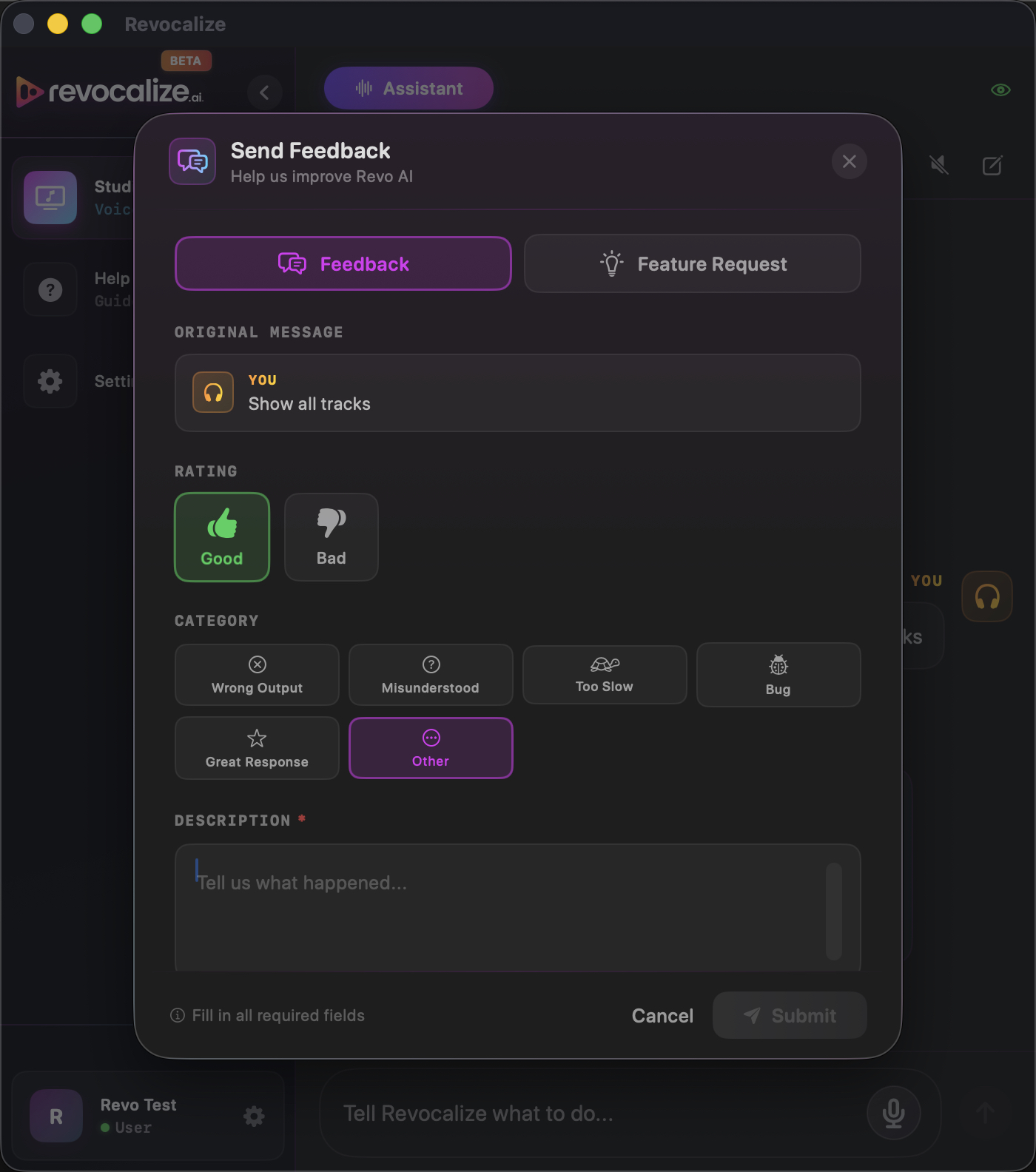
Report an issue about a specific command — the command text is attached automatically so we know the exact context.
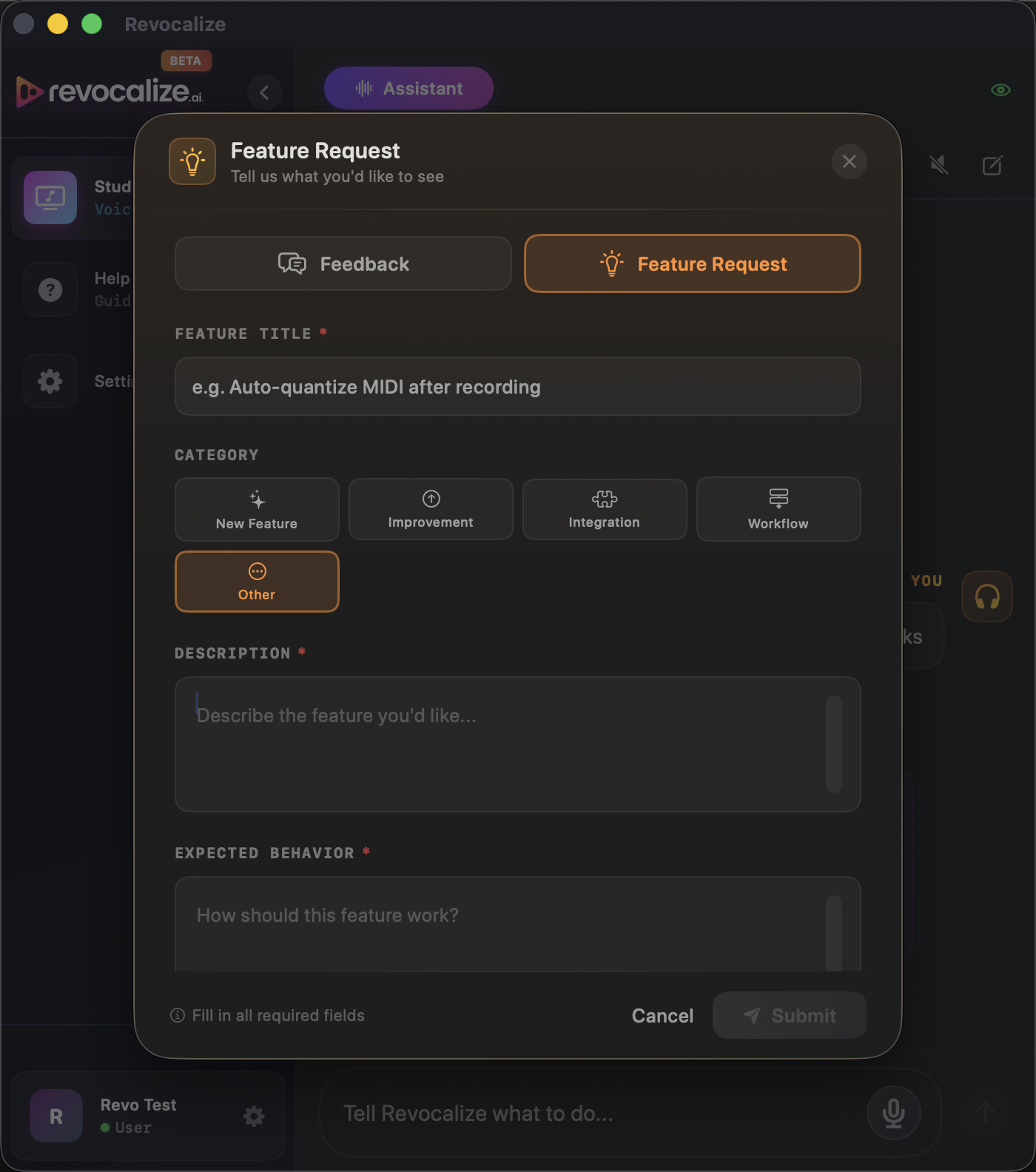
Suggest something you wish the assistant could do. One click sends it straight to the roadmap backlog.
Ready to try it?
Download Revocalize Co-Producer and start controlling Logic Pro with your voice today. Free during beta.
Download Revocalize Co-Producer for Mac