
Installation
Requirements
- •macOS 13 Ventura or later (Apple Silicon recommended)
- •Logic Pro 10.7+ installed
- •A built-in or external microphone (for voice mode — optional)
- •Internet connection (for GPT responses; all Logic Pro automation runs locally)
Step 1 · Download & install
- Click the Download Revocalize Co-Producer button on our website. A
.dmgwill save to your~/Downloadsfolder. - Double-click
Revocalize Co-Producer v0.2.8.dmg. A window opens showing the Revocalize Co-Producer icon next to an Applications folder shortcut. - Drag Revocalize onto the Applications shortcut. Wait ~5 seconds for the copy to finish, then close the window and eject the DMG from your desktop.
Step 2 · Launch the app
Open Applications in Finder and double-click Revocalize.
Step 3 · Approve keychain access
On first launch, macOS will show a keychain prompt asking for your Mac account password. You may see it up to three times in a row — that's normal, each prompt is for a different keychain entry.
Step 4 · Grant Accessibility permission
Revocalize uses macOS Accessibility to drive Logic Pro. Without it, no commands will execute.
- On first launch you'll see a banner inside Revocalize: “Accessibility access required”. Click Open System Settings.
- Return to Revocalize Co-Producer — the banner disappears and the app is ready.
Voice permissions (only if you use voice)
Two more permissions are requested on-the-fly the first time you use voice — you don't need to set them up in advance:
| Permission | When you'll be asked | Why |
|---|---|---|
| Microphone | First time you use voice (mic button, push-to-talk, or wake word) | Captures your voice for transcription |
| Speech Recognition | First time you use voice | Transcribes your voice locally on-device |
You can review or change every permission anytime in System Settings → Privacy & Security.
First-time Setup
Open Settings (sidebar → gear icon) and walk through these panes:
Voice
- •Wake Word — on-device listening so you can summon Revocalize hands-free while producing.
- •Push-to-Talk — hold
Right Option (⌥)to talk; release to send. No wake word needed. - •Text-to-Speech — pick Apple's built-in voices (free, offline) or OpenAI voices (requires API key).
About · Danger Zone
If you ever want a fresh start, Settings → About → Danger Zone → Clear All History & Sessions wipes chat history, command history, and confirmation allowlists. Irreversible.
How You Interact
The Studio tab is your main workspace. You have two equal input channels:
- •Voice — tap the microphone, use push-to-talk, or say the wake word. You'll see a live transcript as you speak.
- •Text — type into the prompt box and hit Return.
Revocalize speaks back using TTS (if enabled) and keeps a conversation history so you can say things like "rename that track to Bass" after creating it.
What You Can Do
Revocalize Co-Producer speaks the language of Logic Pro. Every capability below is available today — just tell it what you want.
🗂️ Project Management
- •Create new projects — empty or from any built-in Logic template
- •Save projects (as, in a specific folder)
- •Close projects
- •Import audio files into the Project Audio bin
- •Inspect project status (tempo, key, time signature, running state)
- “Create a new Hip Hop project at 140 BPM in A Minor”
- “Create an empty project in 6/8 time”
- “Save this as MySong in Documents”
- “Import the audio file /Users/me/Samples/kick.wav”
- “Import kick.wav from my Samples folder”
- “Show me the project status”
- “Close the project”
🎚️ Track Operations
- •Create Audio, Software Instrument, or Drummer tracks — single or in batches
- •Name tracks on creation ("called Bass") or rename later
- •Delete tracks by index or by name
- •Inspect all tracks or drill into one
- •Set volume in dB
- •Mute / Unmute tracks
- “Add a Software Instrument track called Lead Synth”
- “Create 4 audio tracks”
- “Add a Drummer track named Kyle”
- “Rename track 0 to Vocals”
- “Delete the track called Guide”
- “Set the Bass track volume to -6 dB”
- “Mute track 2”
- “Unmute the Drums track”
- “Show me all tracks”
- “List the regions on track 0”
🎵 Audio & MIDI Regions
- •Add an audio region from a file in the Project Audio bin to any track at a specific bar
- •Add an empty MIDI region to a Software Instrument track at a specific bar/length
- “Add the audio file kick.wav to track Drums at bar 1”
- “Place bass_loop.wav on the Bass track starting at bar 5”
- “Add a 4-bar MIDI region on Lead Synth at bar 1”
- “Drop an empty MIDI region on track 2 starting at bar 9 for 8 bars”
- "Import /path/to/loop.wav" → file lands in the Project Audio bin
- "Add loop.wav to the Drums track at bar 1" → region appears on the timeline
⏯️ Playhead & Timeline
- •Move the playhead to any bar or measure
- “Go to bar 1”
- “Move the playhead to measure 16”
- “Jump to bar 33”
📄 Templates
- •Browse Logic's template library by category (Hip Hop, Electronic, Songwriter, etc.)
- •Create a project directly from a template
- “Show me all available templates”
- “List the Hip Hop templates”
- “Create the Trap Heat template”
🎛️ Supported Parameters
| Parameter | Range / Values |
|---|---|
| Tempo | 20 – 990 BPM |
| Time Signature | e.g. 4/4, 3/4, 6/8, 7/8 |
| Key Signature | Note + Major/Minor (e.g. C Major, A Minor, F# Major) |
| Track Types | Software Instrument · Audio · Drummer |
| Track reference | By index (track 0) or name (track "Bass") |
| Bar position | bar 1, measure 16, etc. (1-indexed) |
💬 General Conversation
Revocalize also answers general music-production questions and follows context across a session:
- “What's a good starting tempo for drum & bass?”
- “What tracks did I just create?”
- “Explain what a send is”
Voice Input Modes
| Mode | How to trigger | Best for |
|---|---|---|
| Wake Word | Say the wake phrase while Revocalize is listening | Hands-free while your fingers are on your keyboard or instrument |
| Push-to-Talk | Hold Right Option (⌥), speak, release | Quick one-off commands, noisy rooms |
| Manual | Click the mic button in Studio | Deliberate sessions |
| Text | Type into the prompt box | Precise paths, complex parameters, silent environments |
All four modes use the same command language — pick whichever feels right in the moment.
Tips for best voice recognition
- •Speak clearly at a normal pace; don't rush.
- •Reduce background music playback while issuing commands.
- •Be specific: "Create a Software Instrument track called Bass" beats "make a track".
- •Include all parameters in one sentence when you can: "Create a Hip Hop project at 140 BPM in A Minor".
- •Reference tracks by name when possible — more reliable than counting indices.
Privacy by Default
Revocalize is designed to keep your creative work on your machine.
Speech is transcribed locally using Apple Speech Recognition.
Logic Pro automation runs entirely on your machine via the Accessibility API.
and only when you've added an OpenAI API key and a prompt needs GPT reasoning. If you don't add a key, nothing goes to OpenAI.
on your Mac. Clear it anytime from Settings → About → Danger Zone.
Troubleshooting
| Problem | Fix |
|---|---|
| Nothing happens when I give a Logic command | Open Settings → Studio, confirm Logic Runner status is Running · green. Re-register if needed. |
| Voice isn't transcribing | Check System Settings → Privacy & Security → Microphone and Speech Recognition — both must allow Revocalize. |
| Push-to-talk doesn't respond | Check Privacy & Security → Accessibility — Revocalize must be enabled. |
| Commands are misheard | Speak clearly, reduce background noise, or switch to text mode for that command. |
| Revocalize refuses to delete something | That's the confirmation gate. Approve once for the session, or tick "Remember" to allow it permanently. |
More answers live in-app: Help & Tips → FAQ · Troubleshooting · Best Practices.
Support & Feedback
In-app feedback (fastest)
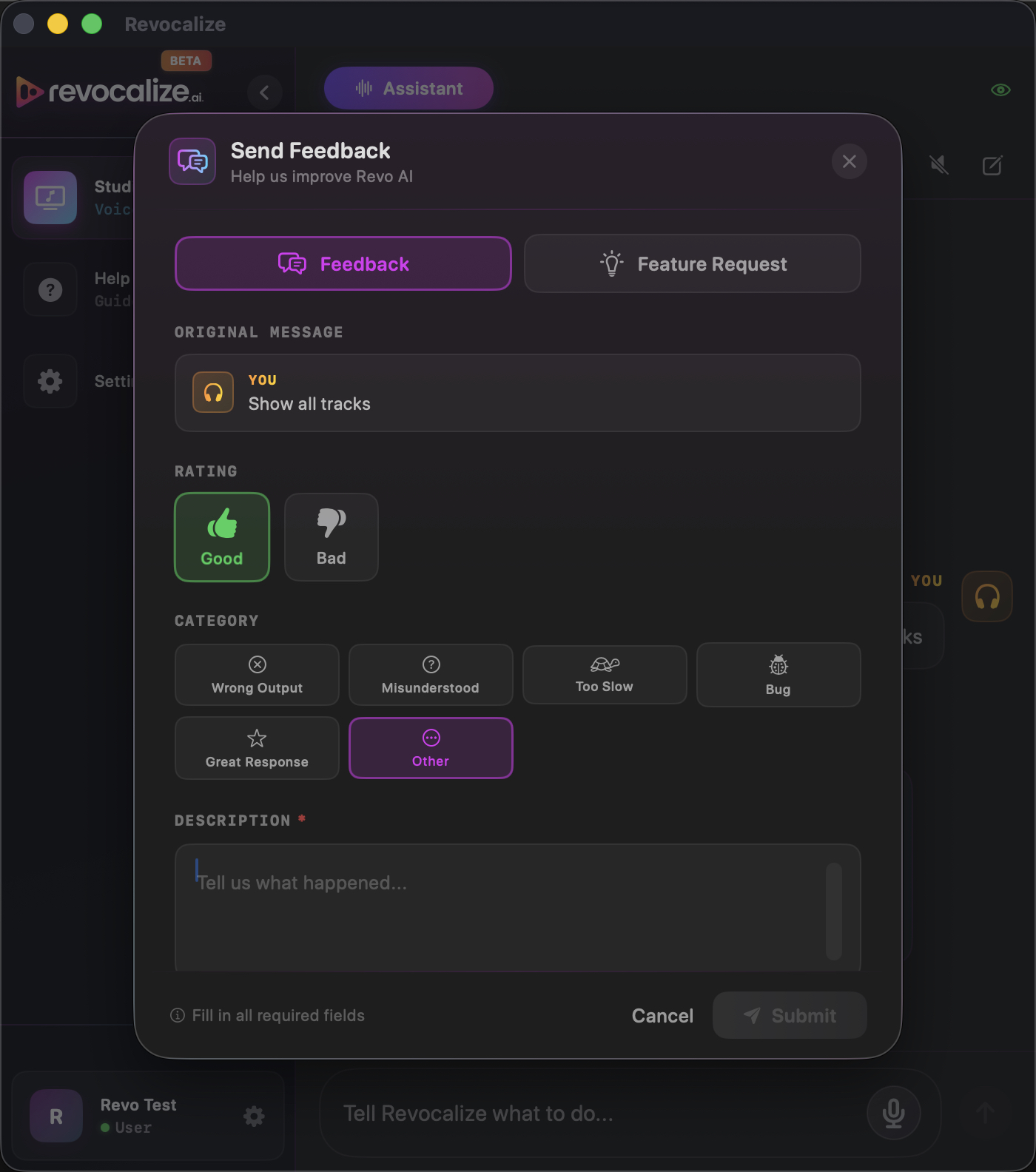
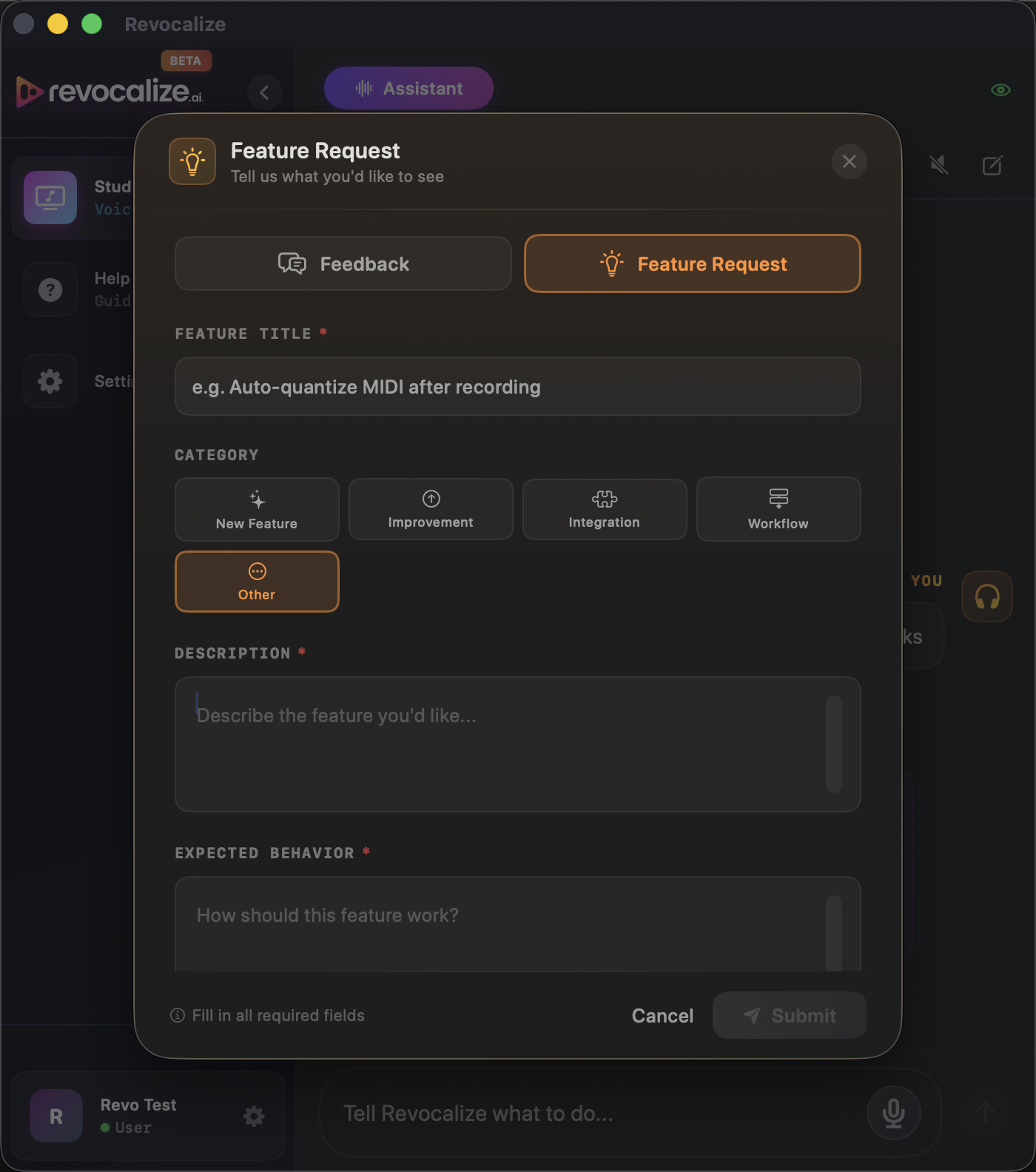
Hover over any message — yours or the assistant's — and two icons appear on the right side of the bubble: Send Feedback (was this command handled well?) and Request Feature (something you wish worked). Each opens a small inline form you can send in a single click. Both go straight to us with the exact command text attached, so we know what you were trying to do.
We read every message — Revocalize is in early beta and your real-world sessions shape the roadmap.
Coming Soon
These are on the immediate roadmap. Today you get the Assistant; these land in future releases:
Build your own multi-step automation sequences, save them, share them with other producers.
Walkthroughs of common production scenarios.
Effects & plug-ins, automation lanes, mixer sends, bounce/export.
Questions? Open Help & Tips inside the app, or email us at [email protected]. Happy producing. 🎹